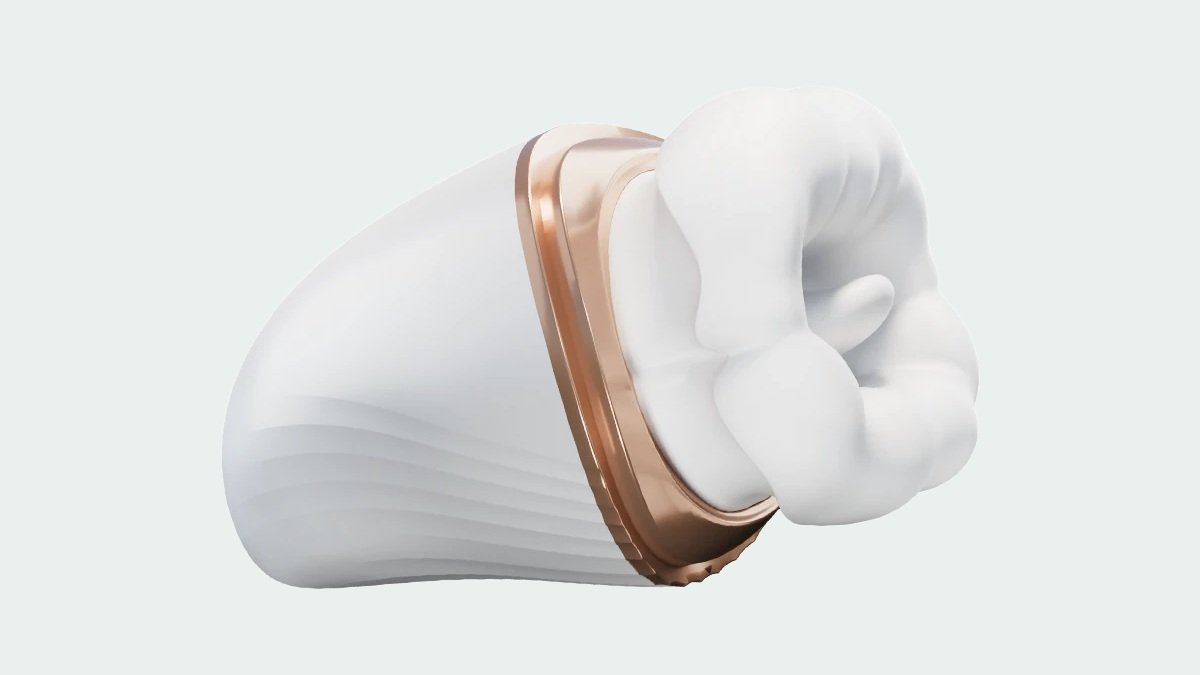
Choosing a suction vibrator starts with understanding what the product actually offers. The category name tells you something about the available settings, but it does not explain the controls, physical size or charging routine. Those details make the difference between a product that sounds appealing and one you can evaluate with confidence.
This guide uses DESIVARA Nectar Bloom to explain what to compare. It offers ten vibration settings and three suction settings, with onboard and companion-app control. We will look at those features separately so you can decide which ones matter to you.
Read Suction and Vibration Settings Separately
A product that lists both suction and vibration is describing two kinds of settings. Read the numbers separately rather than treating them as a single intensity scale. Nectar Bloom lists ten vibration settings and three suction settings. That does not mean there are thirteen steps of increasing strength, or that every possible combination is available.
When comparing products, check whether a listing explains how each function is selected, how the controls are arranged and what the instructions say about switching between settings. A higher setting count alone does not establish stronger performance, finer adjustment or a better experience for every person.
Descriptions across different brands may also use different terms for suction-related features. Do not assume that two products share the same mechanism simply because their titles use similar wording. If technical details are important to your decision, ask for model-specific information rather than filling the gaps from another product’s description.
Check the Physical Controls Before the App
Nectar Bloom offers onboard controls as well as companion-app control. The physical controls are worth examining first: find the buttons in the product photographs, read the instructions and confirm how to start, change settings and stop the device. Familiarity with those steps makes the first setup more straightforward.
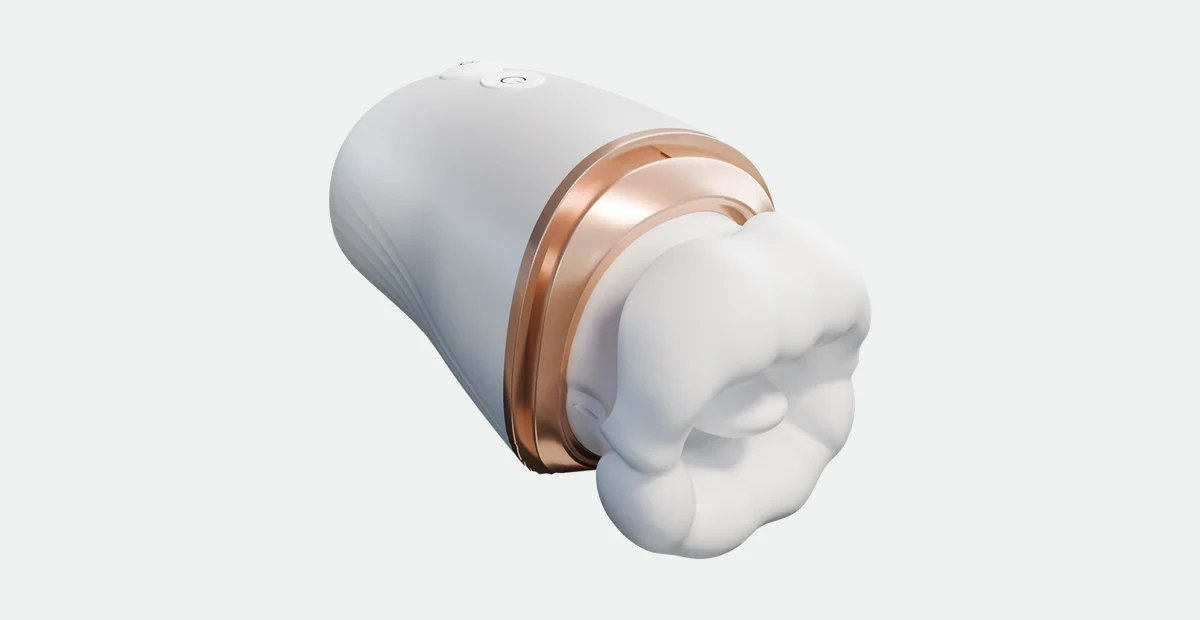
App control adds another interface, but it should not be read as a promise of every remote feature. Before relying on partner control, long-distance operation or compatibility with a particular phone, verify the current app requirements and connection instructions for this model.
If you want a wider explanation of control types before comparing individual products, see our app-controlled vibrator buying guide. For Nectar Bloom, the useful starting point is the documented choice between onboard and companion-app control, not an assumed connection range.
Consider the Shape, Weight and Materials
Nectar Bloom measures 129 x 66 x 71 mm and weighs 217 g. Its listed materials are silicone and ABS. These specifications help you understand the overall product, but they cannot guarantee a particular fit, comfort level or outcome.
Look at more than the front photograph. A side view helps explain the profile, while a control-side view shows where your fingers would need access. Compare the listed dimensions with a ruler if you find it difficult to judge size from a screen. Product photographs should not be treated as life-size illustrations.
Material information is also separate from care instructions. Silicone and ABS do not, by themselves, establish a waterproof rating or compatibility with a particular cleaner. Check the model’s instructions before choosing cleaning methods or lubricants. Do not infer immersion safety from a photograph or from another product in the same collection.
Plan Around Charging Time and Runtime
Nectar Bloom has a 500 mAh battery, a listed charging time of approximately two hours and approximately one hour of operating time, depending on settings. For day-to-day planning, charging time and runtime are more useful together than battery capacity viewed on its own.
A larger battery does not automatically mean a longer session than a smaller device. Different functions and settings can draw different amounts of power. Use the stated runtime as an estimate, follow the supplied charging instructions, and check the model guidance rather than assuming that operation while charging is supported.
| What to compare | Documented specification |
|---|---|
| Vibration settings | 10 |
| Suction settings | 3 |
| Controls | Onboard + companion app |
| Materials | Silicone + ABS |
| Dimensions | 129 x 66 x 71 mm |
| Weight | 217 g |
| Battery capacity | 500 mAh |
| Charging time | Approx. 2 hours |
| Runtime | Approx. 1 hour, depending on settings |
Suction or Wearable: Compare the Feature You Want
Suction describes a feature; wearable describes a form factor. They are not opposite ends of one performance scale. In the current DESIVARA collection, Nectar Bloom is the option with documented suction settings, while Crimson Sprite and Amethyst Bloom are wearable designs.
If suction settings are your priority, start with Nectar Bloom. If your priority is a wearable profile, compare Crimson Sprite and Amethyst Bloom. Our wearable vibrator guide explains their dimensions, weight and control options in more detail.
The aim is to choose around your own priorities, not to find a universal winner. A product with more functions may appeal to one shopper; another may value a different shape or a lighter device. Clear specifications let you make that comparison without relying on broad promises.
A Short Checklist Before You Buy
- Identify whether suction settings, vibration settings or the form factor matters most to you.
- Review multiple product angles and the listed dimensions.
- Check how the physical controls work and what the companion app requires.
- Plan for the stated charging time and approximate runtime.
- Read model-specific care instructions and current store policies before ordering.
Explore Nectar Bloom for its full product details, or browse the DESIVARA vibrator collection to compare designs.
Frequently Asked Questions
Does Nectar Bloom offer both suction and vibration?
Yes. Its specifications list three suction settings and ten vibration settings. Read the model instructions for selecting and operating those functions.
Do more settings mean a better suction vibrator?
Not necessarily. A setting count does not establish relative strength, comfort or suitability. Compare the controls, physical design and documented functions as well.
How long does Nectar Bloom take to charge?
The listed charging time is approximately two hours. Its operating time is approximately one hour, depending on settings.
Does companion-app control guarantee long-distance operation?
No. Verify the model’s current app features and connection requirements before relying on any long-distance or partner-control function.
Topics: Suction Vibrators / App-Controlled Vibrators / wellness